![Logo-Jan-08-2025-02-49-57-3639-PM.png]](https://knowledge.bridge.audio/hs-fs/hubfs/Logo-Jan-08-2025-02-49-57-3639-PM.png?height=15&name=Logo-Jan-08-2025-02-49-57-3639-PM.png)
Search and filter system
You can look for specific tracks in your library using the search bar.
You can use the search bar in several ways:
- Type a word or name, artist name, album name, and get the results.
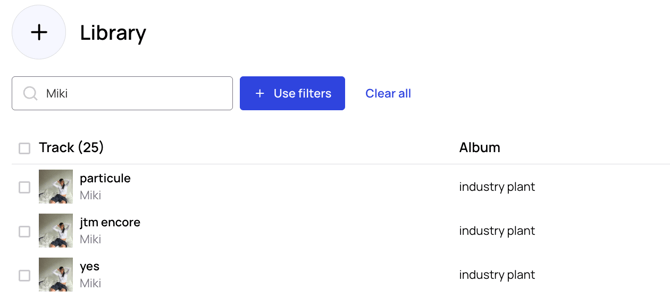
- Filter tracks using the tags attached to your files. To do so click Use Filters next to the search bar. Select as many tag criteria as you want, and get your custom results! Remember that tag filtering is cumulative, not alternative.
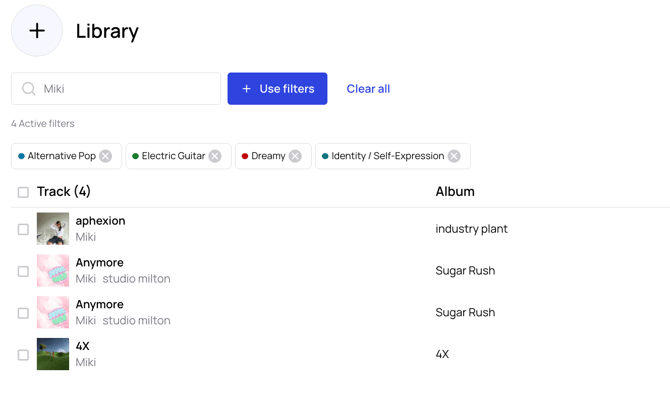
If you want to know more about our tagging system you can read the following article.
Custom Tags
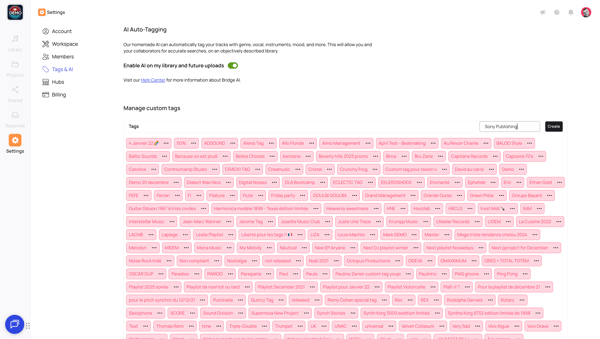
To create, edit, or delete a custom tag, you can do either one of these actions:
-
Go to Settings, then to the Tags & AI tab.
-
Use the Track information section, and go to the tags tab, all the way down to Manage custom tags.
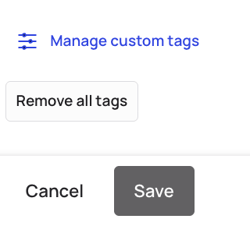
Custom Tags are sorted alphabetically — both in the Custom Tags list and in the library filters.
⚠️ Custom tags won't be visible on Bridge Discovery Hubs and on share links (all other tags will be visible)
Filtering Your Library for Discovery Hubs
For all users with a subscription that grants access to the Discovery Hubs, you have the ability to filter your library using specific filters that provide useful information:
-
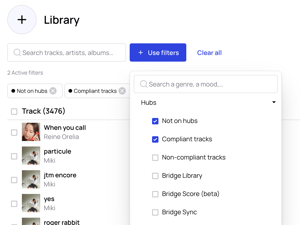
Not on Hubs – See which tracks in your catalog are not yet on any Discovery Hub.
-
Bridge Sync, Bridge Score, or Bridge Library – Identify which of your tracks are already available on the Discovery Hub(s) you have access to, such as Bridge Sync, Bridge Score, or Bridge Library.
-
Compliant vs Non-Compliant Tracks – Determine which tracks meet the compliance requirements and which do not.
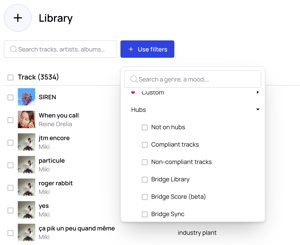
Compliance criteria: A track is considered compliant if it has a title, artist name, album name, and cover art.
💡 Tip: If you want to add all compliant tracks from your catalog that are not yet on the hubs, you can apply both the Not on Hubs filter and the Compliant Tracks filter simultaneously. Then, select all the tracks and send them directly to the Discovery Hub of your choice.