![Logo-Jan-08-2025-02-49-57-3639-PM.png]](https://knowledge.bridge.audio/hs-fs/hubfs/Logo-Jan-08-2025-02-49-57-3639-PM.png?height=15&name=Logo-Jan-08-2025-02-49-57-3639-PM.png)
🧐 Only the Workspace Owner can cancel the subscription.
If you’re an Admin or an Editor, ask the Owner of your Workspace to cancel it.
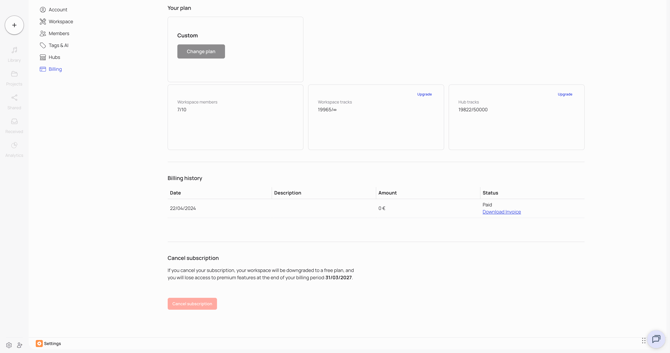
Cancel your subscription
- Go to Settings in your Workspace
- Click on the Billing tab
- Select Cancel subscription
What happens next
- You keep your current plan until the end of the period you’ve already paid for.
- Your Workspace then switches to the free plan: 50 tracks, 3 members. If you had the discovery hub options, your tracks are no longer available on the Hubs.
- The share links you’ve already sent stay active.
If your Workspace has more than 50 tracks
On the free plan, a Workspace with more than 50 tracks is blocked. To unlock it, you can either:
- subscribe to a plan again (see Plans & Pricing)
- free up space to get back under 50 tracks (see Storage)
Custom or older plan
If you’re on a custom plan or an older plan, contact support@bridge.audio to cancel your subscription.
❓ Can I switch to a smaller plan instead of cancelling?
Yes. In the Billing tab, select Change Plan. The new plan starts at your next renewal. More details in Prorated invoices and calculations.
❓ Does cancelling delete my Workspace?
No. Your Workspace switches to the free plan, it isn’t deleted. Only the Owner can permanently delete a Workspace, from Settings.