![Logo-Jan-08-2025-02-49-57-3639-PM.png]](https://knowledge.bridge.audio/hs-fs/hubfs/Logo-Jan-08-2025-02-49-57-3639-PM.png?height=15&name=Logo-Jan-08-2025-02-49-57-3639-PM.png)
Bridge is fully mobile-friendly. We’ve developed a Progressive Web App (PWA) that you can add directly to your phone’s home screen. This allows you to access all Bridge.audio features from your mobile device and take your music anywhere.
How to Install the Bridge Progressive Web App
First step : Open your mobile browser and go to bridge.audio, then log-in.
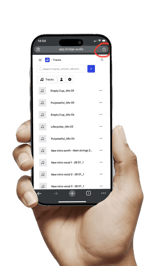
Second step : Tap the Share icon in your browser menu.
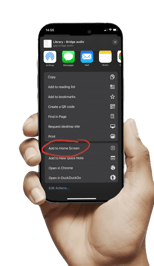
Third step : Select “Add to Home Screen”.
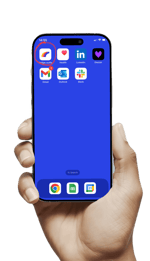
That’s it! The Bridge app will now appear on your home screen for quick access.